|
|
You may be wondering where to host your videos.
Should you use a normal hosting account on a budget host?
See my review of iPage
to learn why you're better off with YouTube, Vimeo or Wistia.
|
| |

Please support this FREE software. DivFix++ is not build for make money.
After these donors, I decide that Meteorite will be a free tool as DivFix++.
Say thanks for my donors.
- DONORS -
- Bas van Kokswijk, Netherlands
- Ben Ryan, Australia
- Wojciech Pasiecznik, Poland
- Darius Seiffert, Germany
- yhoogi, Germany
- Willi Mertens, Germany
- Mick Yo, England
- Sebastian Cerazy, England
- anonymous, Germany
- godthisblows, USA
- Nagesh Sagar, India
- anonymous, unknown
- Corentin Cras-Méneur, France
- cesco8882, Italy
- Jay Philips, Canada
- anonymous, unknown
- David Metcalfe, Canada
- anonymous, unknown
- Robert Gyergyek, USA
- Tom82, Germany
- Andrei Erochok, Germany
- Paulo C. Graça Moura, Portugal
- Tig, U.K.
- neccrixx, U.S.A.
- David Brookes, U.K.
- 鈴木 比呂志, Japan
- anonymous,?
- Doug Healy,U.S.A.
- Robert Ward,U.S.A.
- Herbert Sternad, Austria
- Kenneth Fisher, U.S.A.
- Davide Luccini, Italy
- Serban Alexandru, Romania
- Detlef Pohlmann, Germany
My friends Onur Arpapay
and Tolga Kavak
made donation and supported the project.
Thank you for support bros!
|
|
Want to repair MKV's too? Try this tool  Meteorite Meteorite
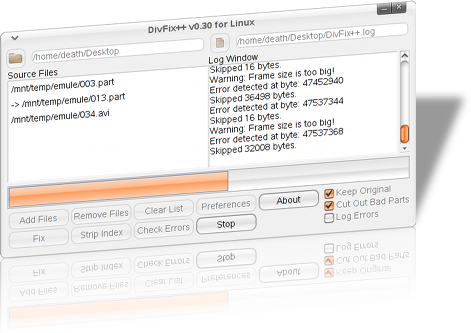
DivFix++ repairs AVI files which other programs couldn't...
Current Version: v0.34

- Thinking to complete next version at 2012.
- Thank for One Million Downloads of DivFix++!
- PAD File available for publishing this tool.
- Needed to work on next version, but don't know when I start to work on it again...
- DivFix+2Core Beta source available at svn-trunk.
- Bug Reports, Feature Requests Or need support? Just email to the author.
|
|
High Definition Video
This tools also works on latest high definition video files that in AVI format. Currently DivFix++ does not support bigger, multi partitioned AVI files.
I prepared the core to allow such a thing. But not implemented required functions (yet).
"the DivFix+2"core has come
DivFix++ Core architecture doesn't allow proper AVC/h264 keyframe detection because its requires full frame inspection.
So thats why some h264 coded AVI files not looks good after DivFix++. DivFix++ better than all other utilities that try to fix AVI files
but its not enough if you target perfection. It's hard to turn over architectural problem, better way is refactoring the code.
I placed source code of DivFix+2Core Engine. This engine makes possible:
- New core will have %100 AVC keyframe detection and full frame inspection.
- Support AVI files bigger than 2GB (Also could implemented to current code but require more effort.)
- Intelligent Error identification.(Current DivFix++ core is dump about errors.)
Core+2 code is available at svn, but unfortunatelly, engine has no "error check" nor "overwrite" support for now.
|
|